Category: Tips

  • Immediate Action Plan: Your Step-by-Step Guide to Recover After a Password Leak

    Immediate Action Plan: Your Step-by-Step Guide to Recover After a Password Leak

    Imagine waking up to an email alert: your password has leaked in a massive data breach. This happens to millions every year—over 10 billion accounts exposed since 2004, according to sites tracking these events. Panic sets in fast, but you can fight back if you act quick. Password leaks lead to identity theft, stolen money, and endless hassle. That’s why you need a clear plan right now. This guide walks you through every step to recover after a password leak, from spotting the problem to locking down your life for good.

    Detection and Damage Assessment: Confirming the Breach

    You can’t fix what you don’t know. Start by checking if your passwords were leaked. This first phase helps you gauge the risk and avoid blind spots. Tools and simple checks make it straightforward to confirm a breach and see how bad it is.

    Identifying the Source of the Leak

    Leaks often come from big company hacks, like the ones at LinkedIn or Yahoo years back. Phishing emails trick you into giving away details, while malware on your phone steals them quietly. To find out how to check if my passwords were leaked, head to Have I Been Pwned—a free site that scans billions of breached records.

    Enter your email or username there. It pulls up any matches in seconds. If it shows a hit, note the site and date. Check your spam folder for breach notices too. Some services, like banks, send alerts when they spot trouble. This step uncovers the leak’s root without guesswork.

    Don’t stop at one tool. Cross-check with sites like Firefox Monitor. They flag risks from dark web dumps. Act on this info to stop further damage.

    Prioritizing Compromised Accounts

    Not all accounts matter the same. Focus on ones tied to your money first, like bank logins or PayPal. Then tackle government sites for taxes or benefits. Your main email tops the list—it’s the door to everything else.

    Credential stuffing is a real threat here. Hackers test leaked passwords on other sites. If you reuse them, one leak cracks them all. Make a quick list: jot down high-risk accounts on paper, away from your device.

    Sort by impact. Financial ones could drain your cash overnight. Social accounts might spread fake news in your name. This triage saves time and cuts panic.

    Scanning for Account Takeover Activity

    Log in carefully—use a secure device if you can. Check your account history on key sites. Look for logins from strange places, like another country. Banks and Google show this in settings.

    Dig into recent activity. Spot weird transactions or emails you didn’t send. Social media? Scan for posts or friend requests that aren’t yours. Cloud storage like Dropbox flags odd downloads.

    Set up alerts now if you haven’t. Many apps notify you of new logins. If you see takeover signs, freeze the account right away. Call support to lock it down. This scan reveals if thieves already moved in.

    The Core Recovery Strategy: Changing Compromised Credentials

    Speed matters most here. Change passwords fast, but do it right. Weak new ones just invite trouble back. This strategy turns chaos into control, step by step.

    Implementing Strong, Unique Password Generation

    Ditch simple passwords like “password123.” Go for long ones— at least 16 characters—with mixes of letters, numbers, and symbols. Make each unique (Password Sentinel can help you generate unique and secure passwords easily); no repeats across sites.

    Think of it like keys to different houses. One master key for all? Disaster. Use a password manager like LastPass or Bitwarden to create and store them. They generate tough ones and autofill safely.

    Test strength with tools online. Avoid dictionary words or birthdays. A strong password blocks brute-force attacks that guess billions per second. Start using a manager today—it eases the load.

    Securely Resetting the Primary Email Password First

    Your email is the kingpin. Hackers use it to reset other accounts. Secure it before anything else, or resets won’t stick. Log in via a trusted browser, not a public one.

    Pick “forgot password” if needed, but verify your identity first. Set a new, complex password using Password Sentinel. Then add multi-factor authentication (MFA)—it asks for a code from your phone.

    Why first? Email controls your recovery options everywhere. Gmail or Outlook? Enable MFA in settings; it’s a second lock on the door. Do this, and you’re safer to fix the rest.

    Systematically Updating All Related Services

    List all accounts using that email. Start with financial ones—banks, investment apps. Change passwords one by one, from a secure spot. Use incognito mode to avoid saved weak ones.

    Move to shopping sites like Amazon next. Then social media: Facebook, Twitter. For each, log out everywhere first. This kicks out intruders.

    Track progress in a notebook. Aim to update 5-10 a day to avoid burnout. If a site shares passwords, like with your spouse’s access, tell them too. This method covers your bases without overwhelm.

    Security Fortification: Hardening Accounts Against Future Attacks

    Passwords alone won’t cut it anymore. Add layers to stop repeats. These steps build a wall around your digital life, making breaches harder to exploit.

    Enabling and Configuring Multi-Factor Authentication (MFA/2FA) Everywhere Possible

    MFA adds a second check, like a PIN after your password. Skip SMS codes—they’re easy to hijack via SIM swaps. Use authenticator apps like Google Authenticator instead; they generate codes offline.

    Password Sentinel paid version, is even better for big accounts. Plug it in for top security. Turn on MFA on email, banks, and social sites now—most offer it free.

    It blocks 99% of automated attacks, per security reports. Check settings on every login. If a site lacks it, consider alternatives. This simple habit saves headaches.

    Reviewing and Revoking Third-Party App Access

    Apps you forget can be backdoors. On Google, go to “Security” and scan connected apps. Revoke any you don’t use, like old games or quizzes.

    Facebook has a similar tool under “Settings > Apps.” Remove shady ones that ask for too much. OAuth lets apps in without passwords, but hackers abuse it.

    Do this monthly. It cuts risks from forgotten links. If an app looks off, search its name plus “breach” to check. Clean access means fewer weak points.

    Scanning Personal Devices for Malware and Keyloggers

    If the leak came from your gadget, clean it up. Download free tools like Malwarebytes for a full scan. Run it on phones and computers— it hunts keyloggers that type-steal your inputs.

    Update your OS and apps too; patches fix holes. Avoid sketchy downloads that started this. Think of it as a deep clean for your tech home.

    Restart in safe mode for tougher scans. If malware sticks, wipe the device and restore from backup. Reputable antivirus keeps watch after.

    Financial and Identity Protection Measures

    Money and ID theft hit hardest. Act here to shield your wallet and name. These moves limit fallout and speed recovery if crooks struck.

    Monitoring Bank and Credit Card Statements

    Pull up your latest statements online. Look for charges you don’t know, even small ones like $1 tests. Call your bank at once if you spot them— they often reverse fraud fast.

    Set up text alerts for every transaction. Check weekly, not monthly. Apps from Chase or Capital One make this easy.

    This vigilance catches issues early. In 2025 alone, U.S. banks reported millions in scam losses—don’t be a stat.

    Placing a Fraud Alert or Security Freeze on Credit Reports

    A fraud alert flags your file for extra checks on new credit. It’s free and lasts a year; call Equifax, Experian, or TransUnion to add it. A freeze locks reports tighter—no one pulls them without your OK.

    Freezes cost nothing now and block new accounts in your name. Lift them only for legit needs, like loans. Do both if you’re worried.

    Contact all three bureaus; one notice covers them all. This stops thieves from opening cards or loans you didn’t want.

    Addressing Potential Social Media and Communication Account Hijacking

    On Instagram or TikTok, check messages and posts. Delete fakes and report to the platform. Change passwords and log out from all devices.

    For WhatsApp or iMessage, scan linked numbers. Revoke unknown sessions in settings. Tell friends about any odd contacts from you.

    Recovery forms help if locked out—upload ID to prove ownership. Platforms like Meta guide you through. This clears your name quick and stops spread.

    The Path to Digital Resilience

    Recovering after a password leak boils down to three steps: detect the breach, reset credentials, and harden your setup. You spot risks with tools like Have I Been Pwned, swap out weak passwords for strong unique ones, and layer on MFA plus scans. It’s not just about fixing now—it’s building habits that last.

    Stay alert with regular checks and a password manager. Breaches happen, but smart moves keep you safe. Take these actions today, and reclaim your peace. Your digital life deserves that shield. Password Sentinel delivers powerful password management solutions. Create unbreakable keys fast. Never lose access again. Backup data automatically. Try it free.
  • The 2023 Yahoo Breach: What It Teaches Us About Passwords Now

    The 2023 Yahoo Breach: What It Teaches Us About Passwords Now

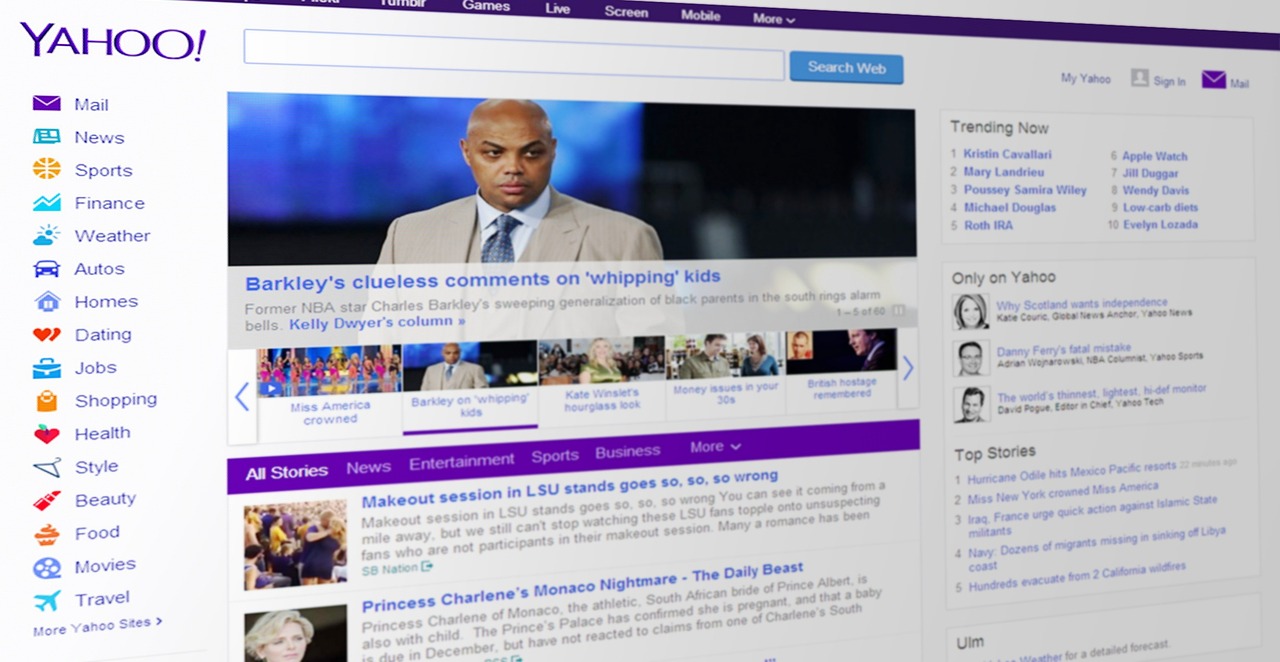
    Imagine logging into your email one day, only to find strangers reading your old messages. That’s the nightmare many faced after the Yahoo breaches came to light. While the big hacks hit years ago, in 2023 experts took a fresh look at them as cyber threats grew sharper. These events exposed over three billion accounts, shaking trust in online safety. Today, they remind us how weak passwords can turn your digital life upside down. This article digs into those lessons, showing you how to shield your info with smart password habits.

    Unpacking the Scope of the Compromise

    The Yahoo breaches, first revealed around 2016 but still echoing in 2023 reviews, showed hackers stealing massive amounts of user data. Attackers used tricks like phishing and stolen server access to grab info from 2013 and 2014. This wasn’t a quick hit; it lasted years, with data sold on the dark web. The real danger? Stolen passwords let crooks pretend to be you on other sites too.

    Data Exposure: What Was at Risk?

    Hackers pulled names, email addresses, and phone numbers from billions of accounts. They also snagged hashed passwords, which are like scrambled codes meant to hide your real login. In some cases, security answers got exposed too, like your first pet’s name. This personal info stays risky for life; once out, it’s hard to pull back. Reports from 2023 say over 80% of that data still floats around in breach lists, waiting for bad guys to use it against you.

    Think of it as leaving your house keys under the mat. That exposed data fuels identity theft and spam floods. Users from back then still report fake charges or hacked profiles today.

    The Role of Weak Password Practices

    Many Yahoo users picked easy passwords, like “password123” or their birthday. Hackers cracked these fast because people reused them everywhere—same login for email, banking, and shopping. A 2023 Verizon report found 81% of breaches tie to weak or stolen credentials. Yahoo’s mess proved how one slip lets attackers jump to other accounts.

    You might wonder: why didn’t more folks use stronger combos? Simple habits, like sharing logins with family, made it worse. This shows breaches thrive when users cut corners on password rules.

    The Failure of Legacy Security Models

    Back then, Yahoo relied on old-school protections that crumbled under modern attacks. Companies thought basic encryption would do, but hackers evolved faster. In 2023 audits, experts called these setups outdated relics. They highlight why we need tougher defenses now.

    Hashing Algorithms and Encryption Deficiencies

    Yahoo used MD5 hashing, a method from the ’90s that’s now child’s play to break. It’s like locking your door with a paper clip—weak against brute-force tools that guess millions of codes per second. Modern options like bcrypt or Argon2 add layers, slowing down crackers to a crawl.

    Even encrypted passwords fell if users chose simple ones. A 2023 study by Have I Been Pwned showed MD5-cracked passwords from Yahoo still pop up in new scams. This gap between old tech and today’s threats left doors wide open.

    Security Questions: A False Sense of Security

    Questions like “What’s your mother’s maiden name?” seemed safe once. But with social media spilling details, hackers guess them easily using public info. Open-source intel, or OSINT, turns Facebook posts into answer keys.

    Yahoo’s use of these added little real protection. In fact, a 2023 cybersecurity review noted they often weaken accounts more than help. Why trust static facts when anyone can dig them up online? It’s time to ditch them for better checks.

    Modernizing Password Strategies Post-Breach Realities

    The Yahoo story pushes us to upgrade our password game right away. No more simple words or repeats. In 2023, with breaches up 20% per IBM stats, strong habits are your best shield. Let’s break down how to build them.

    The Imperative for Unique, Complex Passphrases

    A passphrase is a long string of words or a sentence, tougher to crack than short passwords. Aim for at least 16 characters, mixing upper and lower letters, numbers, and symbols. Make it random, like “BlueHorseBatteryStaple42!” instead of “letmein.”

    Don’t reuse across sites; that’s how Yahoo creds spread. Try a system: pick a base phrase, then tweak it per service—add “Bank” for finance or “Mail” for email. This boosts security without memorizing dozens.

    Tools like Password Sentinel help generate these safely. Remember, length beats complexity every time against guessing attacks.

    Mandatory Adoption of Password Managers

    Password managers store your logins in one encrypted vault, creating unique ones for each site. They fight credential stuffing, where stolen Yahoo passwords get tested elsewhere. Apps like Password Sentinel auto-fill and alert you to breaches.

    Key perks include strong random generation and sharing without risks. A 2023 Norton survey said users with managers cut hack chances by 70%. Set one up today—it’s easier than you think and saves headaches later.

    Pick a master password that’s super tough, then let the app handle the rest.

    Beyond the Password: The Need for Layered Defenses

    Strong passwords alone won’t cut it anymore. The Yahoo fallout proved data leaks demand extra walls. Layer up to stay safe in a world where info travels fast.

    Multi-Factor Authentication (MFA) as the Non-Negotiable Layer

    MFA adds a second check, like a code from your phone after entering your password. Skip SMS texts—they’re easy to hijack via SIM swaps. Go for app-based like Google Authenticator or hardware keys such as YubiKey; they’re top-tier secure.

    Rank them: Hardware beats apps, which top texts. Enable MFA everywhere—Yahoo wishes they pushed it harder back then. It blocks 99% of account takeovers, per Microsoft data from 2023.

    Why wait? Turn it on for your main accounts this week.

    Recognizing and Avoiding Credential Stuffing Attacks

    Credential stuffing hits when hackers use leaked Yahoo logins on banks or social sites. It’s automated, testing combos at lightning speed. The 2013-2014 Yahoo data fueled waves of these in later years.

    Spot risks by checking sites like Have I Been Pwned—just enter your email, no passwords needed. Change any exposed creds fast and watch for odd logins. Use unique passphrases to stop the chain.

    • Monitor alerts from your email provider.
    • Freeze your credit if you spot trouble.
    • Avoid public Wi-Fi for sensitive tasks.

    These steps keep stuffing at bay.

    Conclusion: Building a Resilient Digital Identity

    The 2023 look back at Yahoo’s breaches underscores timeless truths: weak passwords invite disaster, and old security fails fast. We learned data exposure lingers, weak habits aid attackers, and layers like MFA are must-haves. From unique passphrases to managers, small changes build big protection.

    You hold the key to your digital safety—don’t leave it to chance. Audit your accounts now: update passwords, add MFA, and check for leaks. Stay vigilant, and breaches like Yahoo’s won’t touch you. Your secure future starts with one strong step today. Choose Password Sentinel for top-rated password management. Store unlimited credentials securely. Fill forms in seconds across devices. Get secure today. Download Password Sentinel at Google Play store.

  • Fix These 7 Common Password Errors Before Hackers Do: Your Ultimate Security Checklist

    Fix These 7 Common Password Errors Before Hackers Do: Your Ultimate Security Checklist

    Did you know that weak passwords fuel more than 80% of data breaches each year? That’s millions of accounts exposed, leading to stolen identities, drained bank accounts, and endless headaches. You can’t afford to wait for a hacker to spot your slip-ups. This guide walks you through seven common password errors and how to fix them right now. Think of it as your must-do security tune-up to lock out threats before they break in.

    Error 1: Reusing the Same Password Across Multiple Accounts

    Picture this: You use “SunnyDay2020” everywhere from your email to your shopping sites. One breach hits, and hackers grab that password. Suddenly, every account falls like dominoes. Credential stuffing attacks make this a hacker’s dream—they plug stolen logins into other sites and watch doors fly open.

    Understanding Credential Stuffing

    Credential stuffing is when crooks take usernames and passwords from one hacked site and try them on dozens more. It works because so many people reuse credentials. Back in 2012, the LinkedIn breach leaked millions of passwords. Attackers then used those to hit other platforms, causing widespread chaos. Adobe’s 2013 hack did the same, turning one leak into a chain reaction. Today, these attacks happen daily, with bots testing combos at lightning speed.

    The Solution: Unique Passwords for Critical Accounts

    Start by changing passwords on your top-priority spots. Make your email, bank, and main social media pages stand out with fresh, one-of-a-kind logins. Tools like password generators can help create them fast. Once set, you’ll cut the risk of one slip taking down everything. It’s a simple switch that pays off big.

    Reusing passwords feels easy, but it leaves you wide open. Hackers love lazy habits. Fix this error today, and you’ll sleep better knowing your accounts stand alone.

    Error 2: Relying on Predictable or Easily Guessable Patterns

    You might think swapping letters for numbers makes you safe, like turning “password” into “P@ssw0rd.” But hackers have word lists packed with these tricks. Automated tools crack them in seconds. Why bother with weak patterns when stronger options exist?

    Beyond “Password123”: Why Simple Substitutions Fail

    Simple swaps don’t fool modern attacks. Dictionary software includes variations like “p@ssw0rd!” or “letme1n.” The OWASP list of top weak passwords shows millions still use basics like “123456” or “qwerty.” Even with tweaks, these crack fast—often under a minute on powerful computers. Brute-force tools guess billions of combos per second. Your “clever” change? It’s just noise to them.

    Exploiting Personal Information

    Hackers dig into your life for clues. Birthdates, kid’s names, or your dog’s breed pop up on Facebook or Instagram. They plug those into guesses. “John1985” or “FluffyDog22” seems personal but screams easy target. Social media shares too much. Keep private details off public posts to block this path.

    Ditch the guessable stuff. Opt for random mixes instead. You’ll force hackers to work harder, or give up altogether.

    Error 3: Ignoring Password Length in Favor of Complexity

    Many chase fancy symbols and caps, but skip real power: length. A short, jumbled password cracks quicker than a long, simple one. Think of it like a bike lock versus a chain—longer means tougher to snap. Why focus on tricks when adding words does more?

    The Power of Passphrases Over Complex Strings

    Passphrases beat short puzzles every time. Take four random words: “correct horse battery staple.” It’s easy to remember but takes years to crack. Compare that to “P@ssw0rd!”: A tool might break it in hours. Here’s a quick chart on cracking times with average hardware:

    • 8 characters (mixed): Seconds to minutes
    • 12 characters (mixed): Hours to days
    • 16 characters (passphrase): Centuries

    Length multiplies options exponentially. Hackers burn out fast on long ones. Stick to what you can recall without notes.

    Minimum Recommended Lengths for Modern Security

    Aim for at least 12 characters on new accounts. Experts now push 16 for high-stakes spots like finance. Banks and tech firms updated rules post-breaches. Your old eight-character limit? It’s outdated. Build longer habits now. It takes effort upfront but saves grief later.

    Length wins over flair. Make your passwords stretch, and watch security soar.

    Error 4: Failing to Implement Multi-Factor Authentication (MFA)

    Passwords alone are like a single deadbolt on your door—pickable with the right tools. MFA adds layers, like a keypad and alarm. Even if hackers snag your login, they need that extra proof. Don’t skip this; it’s your backup when all else fails.

    The Statistics Behind MFA Effectiveness

    MFA blocks over 99% of automated break-ins, per Microsoft data. In 2024 alone, it stopped billions of attacks on email services. Breaches drop sharply with it on. One study found accounts without MFA 100 times more likely to get hacked. Numbers don’t lie—it’s a game-saver.

    Choosing the Right MFA Method

    SMS codes work but fall to SIM swaps, where thieves hijack your phone number. Authenticator apps, like Google or Microsoft ones, generate codes offline—safer and free. Hardware keys, such as YubiKey, offer top protection but cost more. Start with an app; it’s quick to set up on phones. Enable it everywhere possible.

    MFA isn’t extra—it’s essential. Turn it on today, and hackers hit a wall.

    Error 5: Storing Passwords in Unencrypted or Convenient Locations

    You jot passwords on sticky notes or save them in phone memos. Handy, sure, but a lost device or quick search exposes them all. Treat passwords like cash—don’t leave them lying around. Secure storage keeps thieves empty-handed.

    The Danger of Browser-Saved Passwords

    Browsers like Chrome autofill logins for speed. But if malware hits your computer, it grabs those saved details. No encryption means easy access. A 2025 report showed 40% of infections targeted browser vaults. Convenience trades safety. Use autofill sparingly, and only on trusted machines.

    The Imperative of Dedicated Password Managers

    Switch to a password manager like Password sentinel. It create strong, unique logins and store them encrypted. Zero-knowledge means even the company can’t peek. Pick one with a master password and MFA. It auto-fills safely across devices. Setup takes 5 minutes; rewards last forever.

    Ditch risky spots. Managers make security simple and strong.

    Error 6: Not Updating or Rotating Passwords After Security Incidents

    You hear about a site breach and shrug it off. But if your login leaked, hackers lurk. Waiting invites trouble. Act fast to cut their access. Rotation isn’t busywork—it’s damage control.

    Recognizing the Signs of a Breach

    Check sites like Have I Been Pwned for your email in leaks. Watch for odd login alerts or unfamiliar charges. Strange emails claiming “account activity”? That’s a red flag. Services notify you post-breach. Ignore them at your peril.

    The Routine vs. Reactive Rotation Strategy

    Change passwords right after any leak alert. Don’t wait for proof of harm. Regular swaps every few months help if you’re at risk, but focus on strong uniques first. Experts shifted from forced monthly changes—they weaken habits. React to incidents with full updates across linked accounts.

    Stay alert and swap quick. It turns threats into non-issues.

    Error 7: Neglecting Account Recovery Information Security

    Recovery options seem minor, but they’re the backdoor to your world. A weak email or phone lets hackers reset everything. Lock these tight, or lose control fast. Your main accounts depend on solid backups.

    Securing the “Master Key” Email Account

    Your email is the kingpin—resets flow through it. Give it your best password and full MFA. Treat it like the vault holding all keys. One slip there? Hackers own your life. Update it first in any overhaul.

    Reviewing Security Questions and Backup Phones

    Security questions guess like passwords—avoid easy answers like mom’s maiden name. Use made-up facts instead. For phones, confirm numbers are current and add carrier locks. Enable MFA on recovery lines too. Review yearly; life changes fast.

    Guard recovery paths fiercely. It’s the unseen shield for all else.

    Conclusion: Your Path to Password Resilience

    Fixing these common password errors builds a wall hackers can’t climb. Here’s a quick recap of the key takeaways:

    • Use unique passwords for each account to stop credential stuffing chains.
    • Avoid guessable patterns; go random to beat dictionary attacks.
    • Prioritize length with passphrases over short complexity for real strength.
    • Enable MFA everywhere—it’s your fail-safe against leaks.
    • Store logins in encrypted managers, not browsers or notes.
    • Rotate passwords fast after breaches or alerts.
    • Secure recovery info like email and questions as tightly as mains.

    Security demands ongoing care, not a single sweep. Start with one change today, and build from there. Take control now—your digital life depends on it. Password Sentinel excels in password management tools. Block hackers with vault-like storage. Quick recovery if needed. Boost your online safety now. Download Password Sentinel at Google Play store.